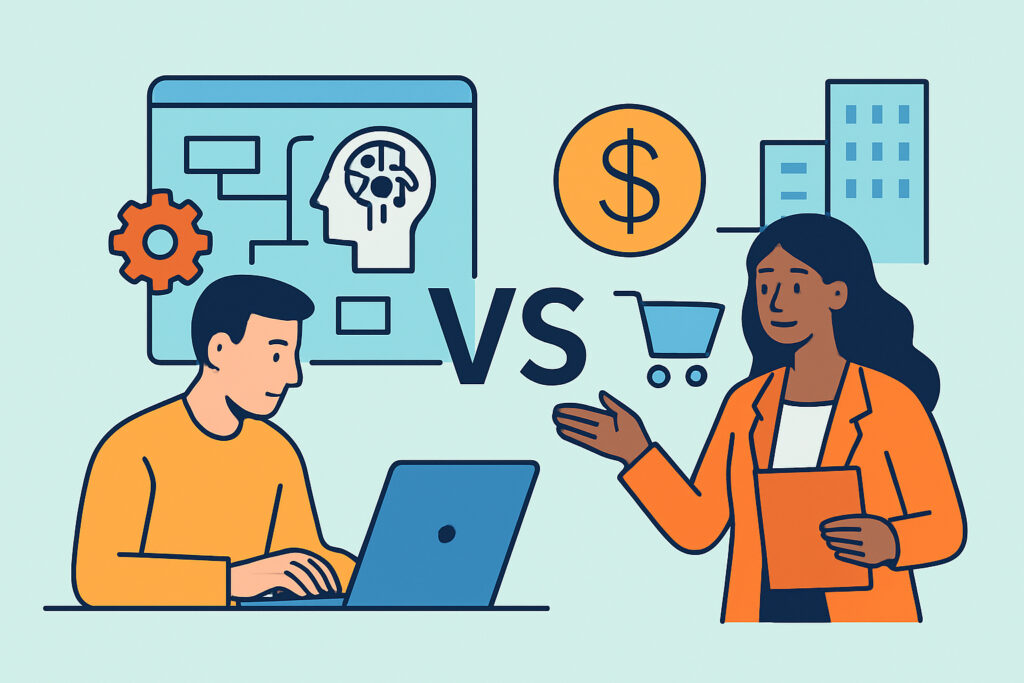
Small sales teams deciding whether to build or buy AI sales tools usually hit the question at the worst possible moment, when pipeline is thin, reps are stretched, and someone has just demoed a slick AI assistant on a Friday afternoon. The build versus buy decision for AI sales tools shapes your budget, your CRM data quality, and how much of your week goes to maintenance instead of selling. This article covers when buying makes sense, when building pays off, what each path really costs, and how a team of 3-15 people can decide without regretting it six months later.
What Small Teams Actually Gain From Getting This Right
The payoff isn’t the tool. It’s the hours you get back. A 5-rep team that automates lead enrichment, first-touch outreach, and meeting follow-ups can typically recover 6-10 hours per rep per week. At a loaded cost of $60-90/hour, that’s roughly $1,800-4,500 of selling time per rep every month.
A bad choice turns that math upside down. Buy the wrong platform and you pay for seats nobody uses. Build the wrong workflow and one person becomes the unofficial IT department, fixing broken Zapier steps at 11 p.m.
The Real Cost of Buying AI Sales Tools
Buying looks simple: pick a vendor, pay per seat, go live. For many core functions it really is the better path. Apollo.io, Outreach, Salesloft, Gong, and the AI features in HubSpot Sales Hub and Salesforce Einstein cover prospecting, sequencing, call analysis, and forecasting well enough for most small teams.
The sticker price is only part of it. Seat-based pricing in this category runs roughly $50-150 per user per month for engagement and prospecting tools. Conversation intelligence platforms often come with annual contracts and platform fees on top of seats, which can put small teams in five-figure territory before anyone logs in. Add onboarding time, usually 2-6 weeks before reps actually trust the output.
The hidden cost is fit. Vendor tools are built for the median customer. If your sales motion is unusual, for example long government procurement cycles, channel sales through resellers, or selling into non-English-speaking markets, the AI features often assume a pattern that doesn’t match yours.
The Real Cost of Building Your Own
Building in 2026 doesn’t mean hiring engineers. Most small teams “build” by stitching together a CRM, an automation layer like Zapier, Make, or n8n, an enrichment tool like Clay, and a large language model through the OpenAI or Anthropic API. API costs for typical sales tasks, such as drafting emails, summarizing calls, and scoring inbound leads, often land at $20-200 per month for a small team. That’s cheap.
What isn’t cheap is ownership. Someone has to write the prompts, handle errors when an API changes, monitor output quality, and document the whole thing. Budget 4-8 hours per week of maintenance for a moderately complex setup. If that person leaves, the system often breaks within a quarter.
Building also forces you to confront your data. Custom AI workflows are only as good as the CRM fields they read, which is why CRM data hygiene usually has to come first.
Myth: Building Is Always Cheaper for Small Teams
This is the most common misconception. Founders compare a $20/month API bill to a $1,200/month software subscription and conclude that building wins. It rarely does on total cost.
Consider a realistic scenario. A 6-person sales team at a B2B software company builds its own outbound engine: Clay for enrichment, GPT-based personalization, n8n for orchestration, HubSpot as the system of record. Tool costs come to about $400/month. But the sales ops lead spends roughly 6 hours a week keeping it running. At $75/hour, that’s about $1,950 a month in labor. The “cheap” system costs more than an off-the-shelf sequencing tool, and deliverability monitoring still isn’t covered.
Building wins when the workflow is truly differentiating, not when it looks cheaper on a spreadsheet.
A Build Versus Buy Framework for AI Sales Tools
An experienced revenue operations manager doesn’t start with vendors. They start by sorting workflows into commodity and competitive advantage. Here’s a practical sequence:
1. List every workflow you want to automate. Be specific: “enrich inbound demo requests with firmographics” beats “improve lead generation.”
2. Ask whether a competitor would do it the same way. Email sequencing, call recording, and meeting booking are commodities. Buy them.
3. Identify workflows tied to your unique data or motion. Custom lead scoring based on product usage signals, or account research that pulls from niche industry databases, are candidates for building.
4. Check who will own it. If nobody on the team can commit 4+ hours per week, buy – or build only something small.
5. Pilot for 30 days with a single metric. Reply rate, meetings booked, or time-to-first-touch. If the number doesn’t move, kill it.
Most small teams end up with a hybrid: bought platforms for the core sales funnel, plus 2-3 custom automations layered on top for the parts that make them different.
Common Mistakes Teams Make
The first mistake is buying a platform before fixing the process. Teams purchase an AI sales engagement tool hoping it will create a pipeline strategy. It just automates the existing chaos faster, sending more emails to poorly defined segments.
The second is building without error handling. A custom workflow silently fails for three weeks because a CRM field got renamed, and nobody notices until a rep asks why no inbound leads were assigned. Every custom build needs an alert when it stops producing output.
The third is measuring activity instead of outcomes. “We sent 4,000 AI-personalized emails” means nothing. Track meetings booked, pipeline created, and conversion rate at each stage. An AI tool that doubles email volume while cutting reply rate from 4% to 1.5% is making things worse.
When the Standard Advice Doesn’t Apply
Teams under 5 people should almost always buy. Their time is too valuable, and the maintenance burden falls on someone who should be selling.
Regulated industries such as healthcare, financial services, and anything handling HIPAA or GDPR-sensitive data flip the equation differently. Many vendors can’t meet data residency or processing requirements, so a controlled internal build, sometimes with self-hosted models, may be the only compliant option.
Teams selling in multiple languages should test vendor AI output carefully. Personalization quality in Finnish, German, or Japanese often lags well behind English.
FAQ
How long does it take to build a custom AI sales workflow?
A focused workflow, such as inbound lead enrichment and routing, typically takes 1-3 weeks to build and another 2-4 weeks to stabilize. Complex multi-step outbound systems can take 2-3 months to get reliable.
Can a small team switch from a bought tool to a custom build later?
Yes, and it’s often the smartest path. Start with a vendor to learn what works, then rebuild only the pieces where the vendor limits you. Make sure your data stays exportable before signing any annual contract.
What skills are needed to build AI sales tools in-house?
Comfort with no-code automation platforms, basic prompt writing, and a solid understanding of your CRM’s data model. Coding skills help but aren’t strictly required for most sales automation use cases.
Summary: Buy the Commodity, Build the Edge
For most small teams, the answer isn’t one or the other. Buy proven tools for sequencing, call recording, and scheduling. Build only where your data, sales motion, or compliance requirements give you something vendors can’t match – and only if someone can own it. Before spending anything, write down the one metric the tool must move within 30 days. If you can’t name it, you’re not ready to build or buy.